The developer half of the platform. Business users author in the Decision Manager browser console; operators run Decision Server in the browser; developers work here — same repository, Manager + Server APIs, vocabulary in the loop, a decision trace that says why a rule did not fire, governed deploy, and Git.
Prefer a purpose-built desktop workbench (not VS Code)? DecisionManager Desktop IDE — from-scratch Tauri shell for macOS, Windows and Linux. Coexists with this extension.
Desktop IDE
DecisionManager Studio
Opens as Decision Manager
Install the full Decision Manager IDE once for Decision Manager workflows. Platform: macOS (Apple Silicon). Extension v0.4.5 (264 commands) — Manager, Server, and Admin parity in the desktop activity bar.
No full branded Studio binary is published for this OS yet. The installer installs VSCodium or VS Code (if needed) and the Decision Manager extension v0.4.5 (264 commands) — the same full IDE surface, not a reduced build.
Desktop Studio and VSCodium use Open VSX for optional extensions — not the Visual Studio Marketplace. Some Microsoft-only extensions will not install.
Unsigned desktop builds may be blocked by Gatekeeper or SmartScreen until notarized or Authenticode-signed. Prefer checksums on the download page.
This is the developer desktop IDE, not a replacement for the browser Decision Manager console. Authoring, ops, and admin UIs stay in the web consoles for non-desktop workflows.
INSTALL_MODE=manager opens the Decision Manager profile (workspace defaults and activity-bar focus). Change mode by re-running with INSTALL_MODE=manager|server|admin.
Rule Designer analogue, not Eclipse: residual honesty — no Eclipse project on disk, no Java XOM JAR/B2X, no Ant ruleapp headless, no offline local BAL parser. Palette size is the measured 264 commands on extension v0.4.5; residual capabilities stay residual (see Help → Rule Designer matrix).
Extension 0.4.5 · product 0.1.0 · checksums on the download page. Prefer VSCodium (Open VSX) over Microsoft VS Code for marketplace terms.
Current build
Decision Manager v0.4.5
494 kB · built 2026-08-05 · requires VS Code ^1.85.0 · 264 commands
Run it from the folder you downloaded into. Restart VS Code afterwards so the language server starts against your settings.
From the VS Code UI
Extensions view → the ⋯ menu at the top of the panel → Install from VSIX… → pick the downloaded file.
What it connects to
A reachable DecisionManager deployment. The platform is not one process, and the extension talks to three of them — each command knows which.
What it connects to
Service
Default port
Used for
platform
8081
sign-in, /api/me, workspaces
manager
8082
rulesets, vocabulary, validate, dry-run, AI
runtime
8083
execute, deployments, warehouse
admin
8084
members, audit, license, groups (optional)
Pointing all three at one URL works only if a gateway genuinely serves all three; otherwise the deploy and governance commands answer 404, which reads as a missing feature rather than a misconfiguration.
From install to your first deployed rule
1
Add an instance, then sign in
Decision Manager: Add Instance… asks for a label, the platform URL, the manager URL and which environment this is. Sign in with email and password or paste an access token — either way it goes into VS Code SecretStorage, never into settings.json.
2
Find your ruleset in the explorer
The Decision Manager view shows the real hierarchy: workspace → project → decision service → ruleset → version → rule. Open a version as a folder to browse it with ordinary VS Code navigation, diff and search.
3
Edit a rule with the vocabulary in the loop
Open a rule as BAL and press Ctrl+Space. Completions are your bound vocabulary's terms. A phrase that is not in the vocabulary gets a diagnostic on the exact span, with the server's own explanation. Saving parses server-side and refuses rather than writing something the engine would reject.
4
Run it and see why
Run Decision and Trace gives a verdict for every rule — fired, applicable, or not applicable — and for the ones that did not apply, the individual conditions that were false. Pin the run as a test case in one command.
5
Submit, approve, publish, deploy
The Governance view drives the lifecycle. Approval requires a different user than the submitter, and the extension knows who you are before you click rather than after a 409.
What is in it
Vocabulary-driven authoring
Completion, hover, signature help and validation, all from the vocabulary bound to your ruleset. The extension contains no rule parser of its own — every question about meaning is answered by your server, so the editor and the engine cannot disagree.
Why did this rule not fire?
A per-rule verdict and the individual false conditions, in the vocabulary's own words. Produced by asking the engine a second question, never by re-evaluating conditions in the editor.
Test Explorer
The platform's test suites in VS Code's own test panel, with diffs on failure and one command to turn a decision you just checked into a stored case.
Governance, before the click
Draft, review, approved, published, deployed — with separation of duties checked against the signed-in user, and every refusal carrying the platform's own remedy text.
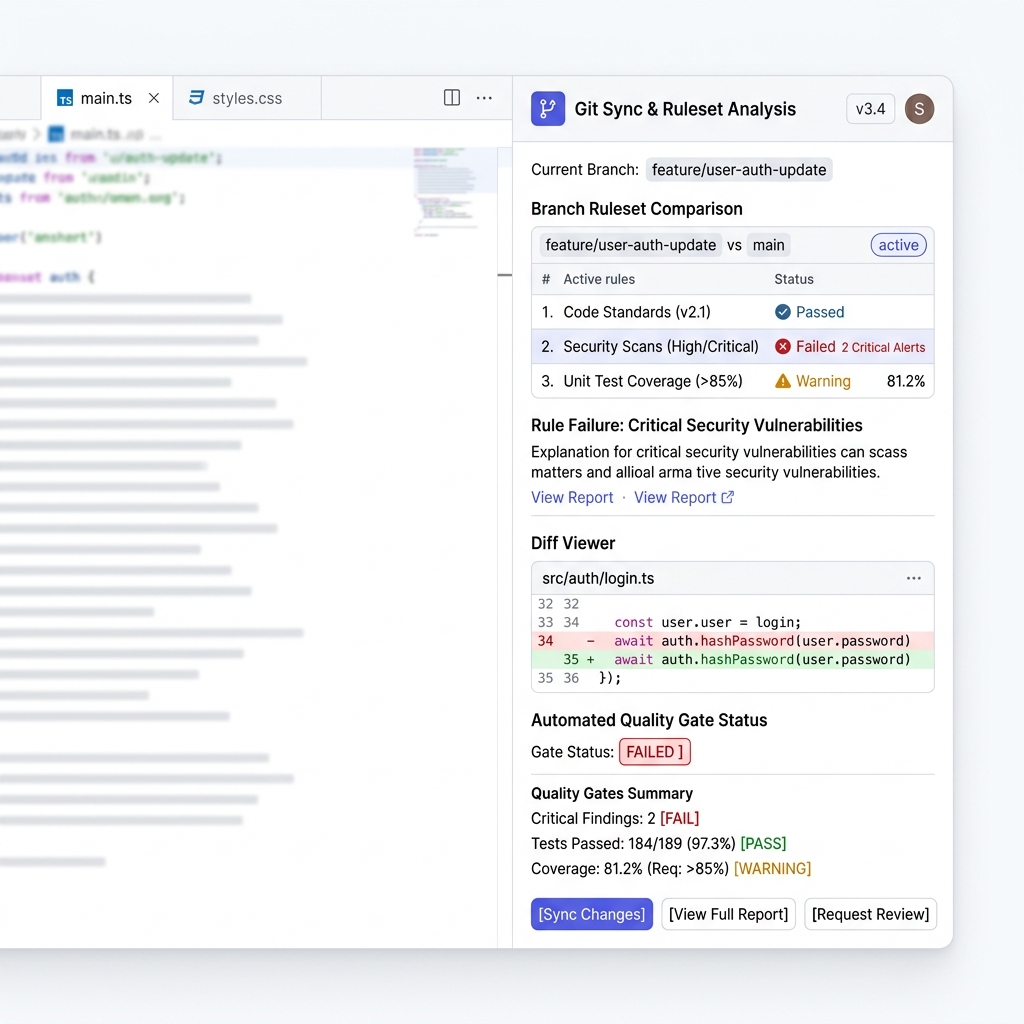
Real Git
Export a version into a working tree in the same layout the server's Git sync uses, so a diff against a pushed repository is a real diff. Native VS Code diff between a version and what is deployed.
IBM ODM migration
Right-click an ODM export folder to analyse it. The report names every construct that has no equivalent before you commit anything — analysis never writes.
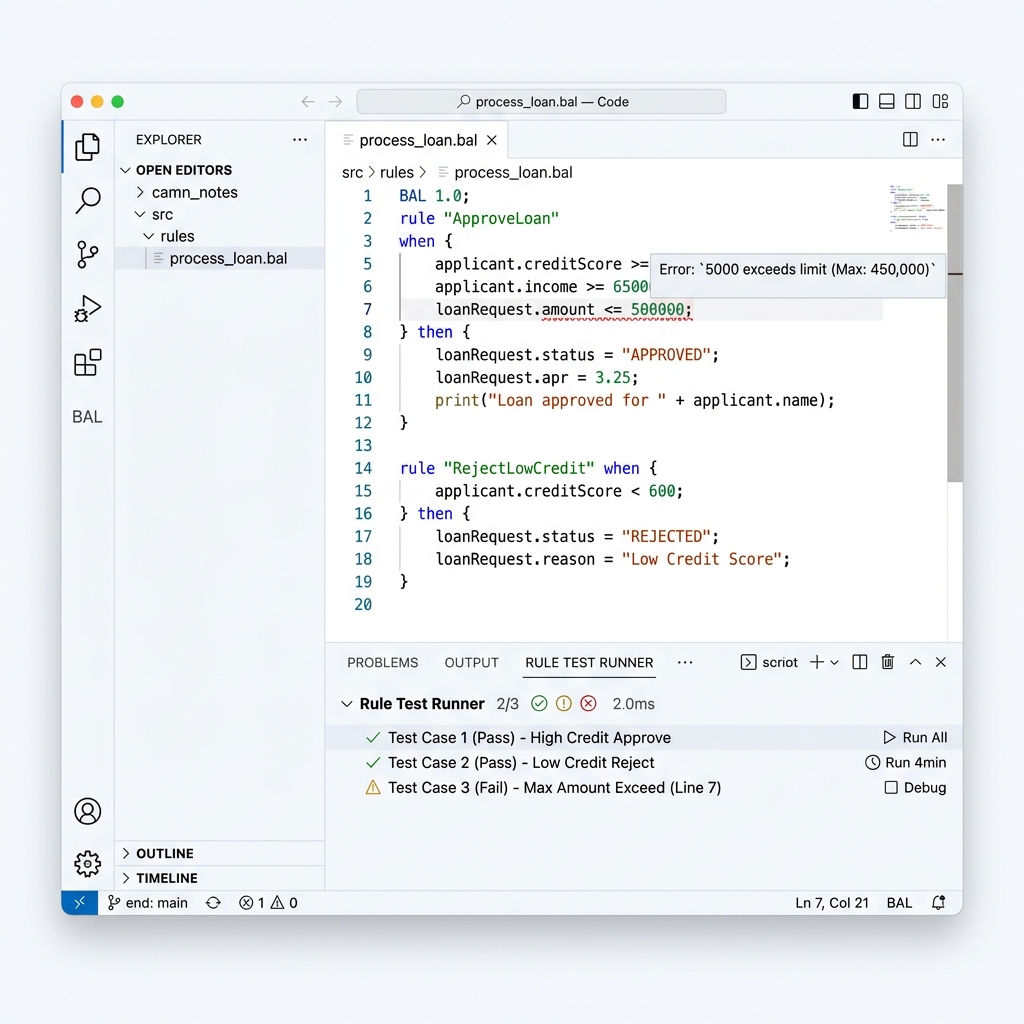
BAL Language Editor & Test Runner
Syntax highlighting, live diagnostic squigglies, and inline rule test suite runner.
Rule Designer is the honest baseline for ODM teams evaluating a desktop authoring move. These are structural differences, not a feature-count race — including where Rule Designer still leads.
Where the VS Code extension is stronger
Installs into the editor developers already use. No release-pinned Eclipse (4.x + Java N for that ODM line) and no separate desktop project with a BOM/XOM classpath.
Vocabulary, parse and validate all hit your Manager service. The extension does not ship a second BAL parser that can drift from the engine.
Export uses the same on-disk layout as the server's Git sync, so a diff against a pushed branch is a real diff — not an Eclipse workspace tree you re-export by hand.
Governed lifecycle (submit → approve → publish → deploy) and ODM migration analysis from a folder, against the same APIs as the browser consoles.
Where Rule Designer still leads
Step-through ruleflow debugging. ODM's debugger is a genuine strength; our post-hoc decision trace narrows the gap but does not replace it.
Mature BAL prose authoring and BOM verbalization tooling. If non-technical staff write rules as full natural-language sentences, ODM's vocabulary stack is still deeper.
Java XOM / BOM-to-XOM mapping in the IDE. Extending the execution object model with Java libraries and Eclipse classpaths is an ODM-native workflow we do not clone.
Decades of partner training and muscle memory. Hiring someone who already knows Rule Designer is easy; hiring someone who already knows this extension is not.
Business authors and operators still use the browser Decision Manager and Decision Server consoles — the extension is the developer surface, not a full console replacement. IDE vs browser consoles
What this build does not do
Stated here rather than discovered after you install it.
Content assist returns nothing at a caret immediately after 'if' until you type one character. The editor forwards what the server answered instead of inventing a list; the fix belongs on the server.
Signature help cannot show the parameters of custom extension functions when the engine catalogue is unavailable: the client falls back to builtins and says that extension (x_) parameters are not enumerable rather than inventing a signature.
The explorer shows no Git sync badge: the platform has no endpoint reporting drift between a version and its bound branch, and a guessed badge is worse than none.
There is no step-through ruleflow debugger. The decision trace explains why a rule did not fire after the run; Rule Designer's debugger can still step mid-execution — that gap is real for teams who debug complex flows daily.
Not published to the Visual Studio Marketplace. When it is, the identifier will be decisionmanager.decision-manager and this page will link to the listing alongside the .vsix, which stays available for air-gapped installs.
Desktop Studio distribution
Decision Manager Studio is also packaged as a branded desktop IDE (macOS, Windows, Linux) with this extension pre-installed. Desktop builds use Open VSX for optional extensions — not the Visual Studio Marketplace — so some Microsoft-only extensions will not install. Studio does not auto-update: install new versions by re-downloading the release package.
Packaged desktop artifacts land under studio/out/artifacts/ (and GitHub Releases for published tags). Build and policy notes: docs/STUDIO-BUILD.md.