Migration assessment
Point at your ODM export. It never leaves this page.
An ODM export is your underwriting, your pricing, your eligibility policy. You should not have to upload it to a vendor to find out whether a migration is feasible — so you do not.
- No upload — network tab stays quiet
- No account or email required
- Inventory in seconds
What happens to your file: nothing.
- The archive is read in your browser with FileReader. There is no upload request — check the network tab.
- Only entry names in the ZIP index are read. Rule bodies are never decompressed, so their contents are never seen.
- Nothing is stored, on your device or ours. Reload the page and the result is gone.
- No account, no email address, and no contact from anyone as a result of using this.
Rule Designer / Decision Center project export (.zip or .jar). Large files are fine — only the ZIP index of names is scanned.
Drop your ODM export here, or click to browse
Rule Designer / Decision Center project export (.zip or .jar). Large files are fine — only the ZIP index of names is scanned.
Live differentiators
What you can measure today
Step budget, wasm/edge packaging, decision warehouse, and a free trial that is not empty — shipped capabilities, not a roadmap slide.
Deterministic step budget
Same input reaches the same verdict under load and on regulatory replay — bounded by steps, not a wall-clock timer.
LiveWasm & edge bundles
Verified wasm32 engine and hash-verified edge bundles — Lambda, Workers, Cloud Run, or no-database edge under your account.
LiveDecision warehouse
Post-hoc explanation, execution history, and KPI streams so operators prove what ran after the fact.
LiveFree trial, seeded
Signup creates a project, decision service, ruleset, published version and active dev deployment in one transaction — no empty shell.
Live
Migration honesty
AI-assisted translation accelerates work; every artefact still needs human review before publish. ODM still leads on mature BAL tooling, DVS, installed-base depth, and certifications — stated, not hidden.
Process
From private inventory to production decisions
Four stages — none of them require uploading your export to us for a first look.
- 1
Inventory in the browser
Drop a Rule Designer / Decision Center .zip. Entry names are classified here; rule bodies never leave the page.
- 2
Size the estate
See action rules, tables, ruleflows, BOM and folders. Download JSON for your own notes or a migration brief.
- 3
Gap report in a trial
Open a free trial and run the real ODM analyser — per-rule mapping, caveats, and what needs human work.
- 4
Review, publish, execute
Human review before publish. Same governed lifecycle and runtime you use for new rulesets.
What the translator does
Proven on real ODM sample rulebases
CI-backed fixtures — not brochure estimates. Caveats are reported with the same weight as successes.
- .brl action rules — All 26 rules of the Sample refund rulebase translate to platform rules with conditions and actions intact.
- Decision tables — Rows, conditions and actions carry across; row identity is retained so a gap can name the row that moved.
- Ruleflow — Task structure and ordering are preserved; the largest node keeps all 12 leaves.
- BOM / B2X — Object model and its virtual-to-execution bindings are read and used to resolve terms.
Templated messages and unresolvable vocabulary are flagged for humans — never silently guessed. That is the point of a regulated migration.
BRL rules
26 / 26
Sample refund rulebase — all translated
Ruleflow leaves
12
One node, structure preserved
Reported caveats
2
Flagged before commit, not after
Import to first decision
minutes
Upload, analyse, commit, execute
Source: backend/crates/odm — sample_refund tests and eligibility fixture tests. The counts above are the assertions those tests make.
A realistic migration spine — not a contractual SLA
Days are indicative for a scoped pilot ruleset with human review. Multi-service estates take longer; we will not invent a calendar for yours.
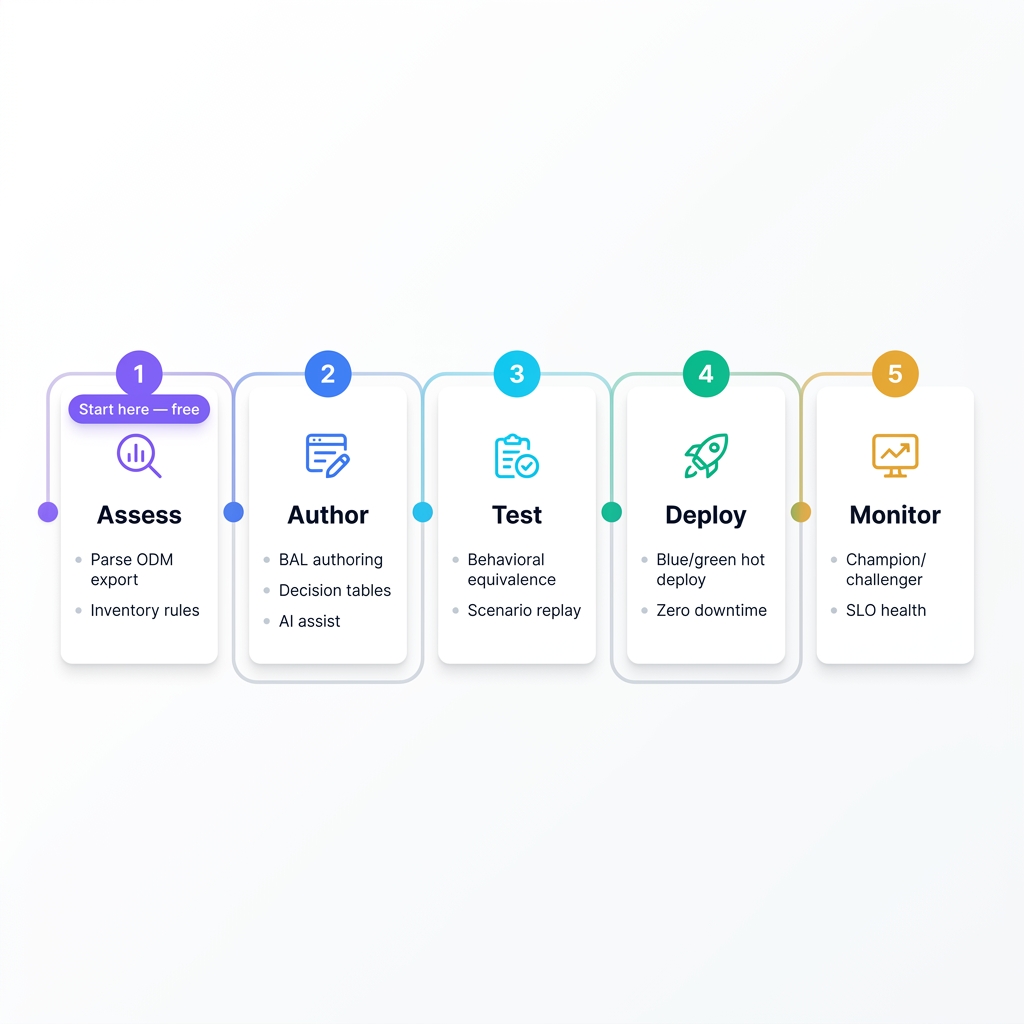
- 1Day 0
Private inventory
Browser scan of your export — size the estate without uploading.
- 2Days 1–3
Analyse & map
Trial workspace: translator + gap report; caveats named before commit.
- 3Days 4–10
Human review
Policy owners confirm templates, vocabulary, and exception paths.
- 4Days 11+
Publish & execute
Governed lifecycle, deploy to an environment, warehouse evidence.
Migration FAQ
Questions architects ask before a vendor call
Does my IBM ODM export get uploaded?+
No. FileReader in your browser only. No upload request, no retention policy to trust. Confirm it in the network tab.
What does this free assessment show?+
Artefact inventory: .brl, decision tables, ruleflows, BOM/B2X, vocabulary, DVS/Excel, top folders, and unrecognised entries. Optional JSON download for your records.
Is migration fully automated?+
No. AI-assisted translation accelerates work; every artefact is reviewed by a human before publish. We do not promise one-click ODM migration.
How do I get a per-rule gap report?+
Start a free trial and use the real translator (POST /odm/analyze). The browser tool sizes the job; the analyser describes what maps and what does not.
What formats are accepted?+
Rule Designer or Decision Center project exports as .zip (or .jar with ZIP structure). Only the name index is scanned.
When should we talk to sales?+
After a private inventory, for multi-service portfolios, regulated estates, or a formal migration plan with SLA and commercial terms.
Ready for the next step?
Start free, or talk to an executive seller
Self-serve trial with a seeded workspace — or book a demo on your underwriting, claims, or eligibility policy. Both paths stay open on every major page.
No credit card · Trial does not auto-convert · Export anytime
No credit card for trial. Commercial terms for Custom plans are quote-based.